
How to Deposit with Debit Cards
How to Deposit with Debit Cards
Dec 15, 2025
Tags:
Tags:
Deposits
Deposits
Trader Dashboard
Trader Dashboard
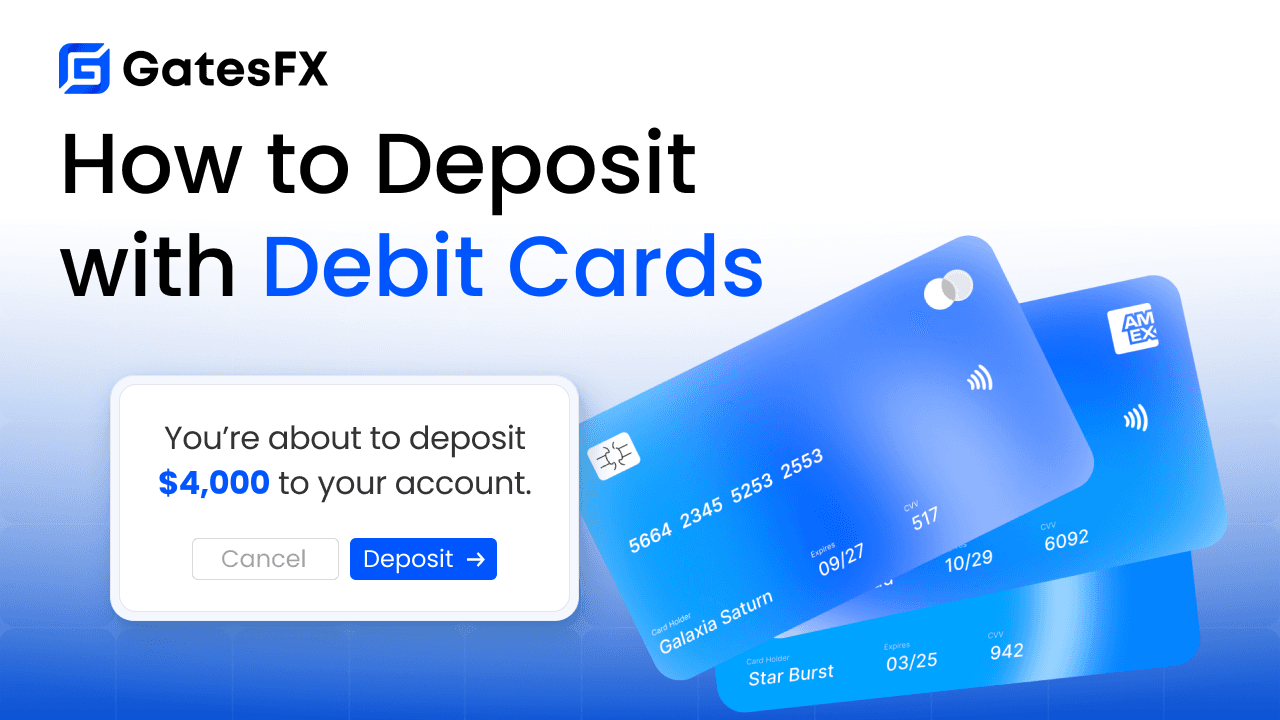
Depositing To Your Trading Account With Credit & Debit Cards Is Easy!
We are happy to finally bring our traders the latest upgrade allowing them to deposit using debit and credit cards. This upgrade streamlines both the onboarding process for new traders and gives our exisiting traders a more familiar way to deposit funds.
If you're a visual learner, click the link to watch a short video on YouTube on how to make your first deposit using debit cards:
Watch Video
Step 1: Login To Your GatesFX Account
Step 2: Input Your Birth Date On The Manditory Form
To comply with international regulations enforced by our payment processor, every trader must add their date of birth to their profile. Once added, just click the submit button.
Step 3: Click "Deposit Funds"
Click the "Deposit Funds" button at the top of your trader dashboard to begin the deposit process.
Step 4: Select Card Deposits
From the available deposit options drop-down, select "Card Deposits" and then click continue.
Step 5: Enter The Amount You Wish To Deposit
Enter the amount you with to deposit and then click continue. Review the details and then click continue again to load the payment screen.
Please keep in mind the maximum lifetime deposit via debit cards is $5,000 USD without additional KYC Verification from the payment service provider. Once the $5,000 limit has been reached, you simply complete the short KYC Verification process and you are instantly upgraded to the $20,000 daily limit for card deposits.
Step 6: Select Your Region
Select your State or Country Region from the dropdown and click "Continue to Payment".
Step 7: Enter Your Phone Number
Verify your phone number is correct. If it is not correct, please correct it before proceeding as you will receive a 4 digit code. Once you receive the code, input it into the form.
Step 8: Verify Card Holder Information
Then you will need to verify the information for your profile is correct. If any information shown does not match what is shown on your credit or debit card, please update the information. This includes your name shown on the card, email and date of birth. Once all information shown matches the information for the card you wish to use, click "Continue To Payment".
** If any information is incorrect, it may result in a declined transaction.
Step 9: Select Payment Method
Once your profile has been created, click the "Pay with card" option to select between debit/credit cards and GooglePay and then click continue.
Step 10: Add Your Card And Submit
Then click "New Card", enter your card details, billing address and then click "Add Card". Enter the card CVV number and then click "Confirm & Pay". Allow some time for the payment to process and you will be redirected back to the GatesFX dashboard.
And Thats It!
If the payment was approved, you will see a green success message. If the payment was rejected, please check your phone for a notification from your bank confirming you were attempting the transaction. Confirm the transaction with your bank and repeat this process.
If the status showed success, you can visit the transaction history tab and you can see the funds have been successfully added to your wallet.
*** Please note, deposits and withdrawals are not available in all regions and some regions will only have deposits available. Rest assured, our team is working hard with our payment processor to bring availability to all regions.
Start trading in three steps.
Start trading in three steps.
Start trading in three steps.
Start trading
in three steps.
Registration
Verification
" transform="translate(3 6)" width="203.5px"/></svg>)
Start Trading
Enter your details.
Create Account
Full Name
Enter your name
Email Address
Enter your email
Registration
Verification
Start Trading
Enter your details.
Create Account
Full Name
Enter your name
Email Address
Enter your email
**Take your first trade in less than 2 minutes.
**Take your first trade in less than 2 minutes.
**Take your first trade in less than 2 minutes.
Brand Owner & FSCA-Authorized Group Entity
GatesFX PTY LTD
Registration number: 2014/148132/07
FSP No: 46087
Copyright 20214 - 2026. GatesFX LTD.
All rights reserved.
Registration Address:
Office 221, 2nd Floor, Ingenuity Park
3 Nandi Mthembu Drive, Ballito 4419 South Africa
Client Contracting Entity
GatesFX LTD
Registration number: 2024-00396
Registration Address:
Ground floor, The Sotheby Building,
Rodney Village, Rodney Bay, Gros Islet, St. Lucia
GatesFX (the “GatesFX Brand”) operates through a group of affiliated entities under a unified brand and corporate structure. GATESFX PTY LTD, incorporated in South Africa in 2014 under Registration No. 2014/148132/07, owns the GatesFX brand, trade name, and intellectual property and is authorized by the Financial Sector Conduct Authority under FSP No. 46087. GATESFX LTD, incorporated in Saint Lucia in 2024 under Registration No. 2024-00396, serves as the group’s client onboarding and contracting entity.
GATESFX PTY LTD and GATESFX LTD are separate legal entities within the same GatesFX corporate group, and each entity remains responsible for its own respective obligations.
FSCA authorization applies specifically to GATESFX PTY LTD. GATESFX LTD is not itself the holder of FSP No. 46087. References to GatesFX’s corporate history, brand, and group operations may reflect the wider GatesFX group rather than any single entity.
Client accounts are onboarded through GATESFX LTD, a company incorporated in Saint Lucia under Registration No. 2024-00396. By opening an account with GATESFX LTD, you enter into a contractual relationship with GATESFX LTD, which acts as the counterparty to client transactions. Unless expressly stated otherwise in the applicable client agreement, clients onboarded through GATESFX LTD contract exclusively with GATESFX LTD and should not interpret the FSCA authorization of GATESFX PTY LTD as extending to, or regulating, their contractual relationship with GATESFX LTD.
By opening an account, you confirm that you are at least eighteen (18) years of age, or the applicable legal age in your jurisdiction, and that your use of GatesFX services is permitted under the laws and regulations applicable to you. It is your responsibility to determine whether accessing or using the services is lawful in your jurisdiction.
!
Risk Warning: Trading Forex and CFDs carries a high level of risk to your capital and you should only trade with funds you can afford to lose. Trading Forex and CFDs may not be suitable for all investors, so please ensure that you fully understand the risks involved and seek independent advice if necessary. Please read and ensure you fully understand our Risk Disclosure.
Restricted Countries: GatesFX LTD does not provide services for residents of certain countries, including Israel, New Zealand, Iran, and North Korea (Democratic Peoples's Republic of Korea), or any country where such distribution or use would be contrary of local law or regulation. Furthermore, GatesFX LTD does not solicit citizens of the Untied States of America. Please check with your local jurisdiction to determine if you are permitted to open an account with GatesFX LTD.
It is your responsibility to determine whether you are permitted to open an account with GatesFX.
Disclaimer: The information provided herein reflects personal opinions and ideas and does not constitute a recommendation to purchase financial services or guarantee the performance or outcomes of future transactions. This material is not intended to be interpreted as financial advice. While every effort has been made to ensure the accuracy, validity and completeness of the information, no guarantees are provided and no liability is accepted for any losses incurred as a result of investments made based on this material. Nothing contained on this site should be considered or construed as professional advice from GatesFX LTD, its affiliates, directors, officer, or employees.
Brand Owner & FSCA-Authorized Group Entity
GatesFX PTY LTD
Registration number: 2014/148132/07
FSP No: 46087
Copyright 20214 - 2026. GatesFX LTD.
All rights reserved.
Registration Address:
Office 221, 2nd Floor, Ingenuity Park
3 Nandi Mthembu Drive, Ballito 4419 South Africa
Client Contracting Entity
GatesFX LTD
Registration number: 2024-00396
Registration Address:
Ground floor, The Sotheby Building,
Rodney Village, Rodney Bay, Gros Islet, St. Lucia
GatesFX (the “GatesFX Brand”) operates through a group of affiliated entities under a unified brand and corporate structure. GATESFX PTY LTD, incorporated in South Africa in 2014 under Registration No. 2014/148132/07, owns the GatesFX brand, trade name, and intellectual property and is authorized by the Financial Sector Conduct Authority under FSP No. 46087. GATESFX LTD, incorporated in Saint Lucia in 2024 under Registration No. 2024-00396, serves as the group’s client onboarding and contracting entity.
GATESFX PTY LTD and GATESFX LTD are separate legal entities within the same GatesFX corporate group, and each entity remains responsible for its own respective obligations.
FSCA authorization applies specifically to GATESFX PTY LTD. GATESFX LTD is not itself the holder of FSP No. 46087. References to GatesFX’s corporate history, brand, and group operations may reflect the wider GatesFX group rather than any single entity.
Client accounts are onboarded through GATESFX LTD, a company incorporated in Saint Lucia under Registration No. 2024-00396. By opening an account with GATESFX LTD, you enter into a contractual relationship with GATESFX LTD, which acts as the counterparty to client transactions. Unless expressly stated otherwise in the applicable client agreement, clients onboarded through GATESFX LTD contract exclusively with GATESFX LTD and should not interpret the FSCA authorization of GATESFX PTY LTD as extending to, or regulating, their contractual relationship with GATESFX LTD.
By opening an account, you confirm that you are at least eighteen (18) years of age, or the applicable legal age in your jurisdiction, and that your use of GatesFX services is permitted under the laws and regulations applicable to you. It is your responsibility to determine whether accessing or using the services is lawful in your jurisdiction.
!
Risk Warning: Trading Forex and CFDs carries a high level of risk to your capital and you should only trade with funds you can afford to lose. Trading Forex and CFDs may not be suitable for all investors, so please ensure that you fully understand the risks involved and seek independent advice if necessary. Please read and ensure you fully understand our Risk Disclosure.
Restricted Countries: GatesFX LTD does not provide services for residents of certain countries, including Israel, New Zealand, Iran, and North Korea (Democratic Peoples's Republic of Korea), or any country where such distribution or use would be contrary of local law or regulation. Furthermore, GatesFX LTD does not solicit citizens of the Untied States of America. Please check with your local jurisdiction to determine if you are permitted to open an account with GatesFX LTD.
It is your responsibility to determine whether you are permitted to open an account with GatesFX.
Disclaimer: The information provided herein reflects personal opinions and ideas and does not constitute a recommendation to purchase financial services or guarantee the performance or outcomes of future transactions. This material is not intended to be interpreted as financial advice. While every effort has been made to ensure the accuracy, validity and completeness of the information, no guarantees are provided and no liability is accepted for any losses incurred as a result of investments made based on this material. Nothing contained on this site should be considered or construed as professional advice from GatesFX LTD, its affiliates, directors, officer, or employees.
Brand Owner & FSCA-Authorized Group Entity
GatesFX PTY LTD
Registration number: 2014/148132/07
FSP No: 46087
Copyright 20214 - 2026. GatesFX LTD.
All rights reserved.
Registration Address:
Office 221, 2nd Floor, Ingenuity Park
3 Nandi Mthembu Drive, Ballito 4419 South Africa
Client Contracting Entity
GatesFX LTD
Registration number: 2024-00396
Registration Address:
Ground floor, The Sotheby Building,
Rodney Village, Rodney Bay, Gros Islet, St. Lucia
GatesFX (the “GatesFX Brand”) operates through a group of affiliated entities under a unified brand and corporate structure. GATESFX PTY LTD, incorporated in South Africa in 2014 under Registration No. 2014/148132/07, owns the GatesFX brand, trade name, and intellectual property and is authorized by the Financial Sector Conduct Authority under FSP No. 46087. GATESFX LTD, incorporated in Saint Lucia in 2024 under Registration No. 2024-00396, serves as the group’s client onboarding and contracting entity.
GATESFX PTY LTD and GATESFX LTD are separate legal entities within the same GatesFX corporate group, and each entity remains responsible for its own respective obligations.
FSCA authorization applies specifically to GATESFX PTY LTD. GATESFX LTD is not itself the holder of FSP No. 46087. References to GatesFX’s corporate history, brand, and group operations may reflect the wider GatesFX group rather than any single entity.
Client accounts are onboarded through GATESFX LTD, a company incorporated in Saint Lucia under Registration No. 2024-00396. By opening an account with GATESFX LTD, you enter into a contractual relationship with GATESFX LTD, which acts as the counterparty to client transactions. Unless expressly stated otherwise in the applicable client agreement, clients onboarded through GATESFX LTD contract exclusively with GATESFX LTD and should not interpret the FSCA authorization of GATESFX PTY LTD as extending to, or regulating, their contractual relationship with GATESFX LTD.
By opening an account, you confirm that you are at least eighteen (18) years of age, or the applicable legal age in your jurisdiction, and that your use of GatesFX services is permitted under the laws and regulations applicable to you. It is your responsibility to determine whether accessing or using the services is lawful in your jurisdiction.
!
Risk Warning: Trading Forex and CFDs carries a high level of risk to your capital and you should only trade with funds you can afford to lose. Trading Forex and CFDs may not be suitable for all investors, so please ensure that you fully understand the risks involved and seek independent advice if necessary. Please read and ensure you fully understand our Risk Disclosure.
Restricted Countries: GatesFX LTD does not provide services for residents of certain countries, including Israel, New Zealand, Iran, and North Korea (Democratic Peoples's Republic of Korea), or any country where such distribution or use would be contrary of local law or regulation. Furthermore, GatesFX LTD does not solicit citizens of the Untied States of America. Please check with your local jurisdiction to determine if you are permitted to open an account with GatesFX LTD.
It is your responsibility to determine whether you are permitted to open an account with GatesFX.
Disclaimer: The information provided herein reflects personal opinions and ideas and does not constitute a recommendation to purchase financial services or guarantee the performance or outcomes of future transactions. This material is not intended to be interpreted as financial advice. While every effort has been made to ensure the accuracy, validity and completeness of the information, no guarantees are provided and no liability is accepted for any losses incurred as a result of investments made based on this material. Nothing contained on this site should be considered or construed as professional advice from GatesFX LTD, its affiliates, directors, officer, or employees.
GatesFX is an international broker regulated by the Financial Sector Conduct Authority of South Africa, ensuring transparency and compliance with international standards of the company's services.
Registration number: 2014/148132/07
Copyright 2014-2026. GatesFX LTD. All rights reserved. Registration Address: Ground floor, The Sotheby Building, Rodney Village, Rodney Bay, Gros Islet, St. Lucia
GatesFX (the “GatesFX Brand”) operates through a group of affiliated entities under a unified brand and corporate structure. GATESFX PTY LTD, incorporated in South Africa in 2014 under Registration No. 2014/148132/07, owns the GatesFX brand, trade name, and intellectual property and is authorized by the Financial Sector Conduct Authority under FSP No. 46087. GATESFX LTD, incorporated in Saint Lucia in 2024 under Registration No. 2024-00396, serves as the group’s client onboarding and contracting entity.
GATESFX PTY LTD and GATESFX LTD are separate legal entities within the same GatesFX corporate group, and each entity remains responsible for its own respective obligations.
FSCA authorization applies specifically to GATESFX PTY LTD. GATESFX LTD is not itself the holder of FSP No. 46087. References to GatesFX’s corporate history, brand, and group operations may reflect the wider GatesFX group rather than any single entity.
Client accounts are onboarded through GATESFX LTD, a company incorporated in Saint Lucia under Registration No. 2024-00396. By opening an account with GATESFX LTD, you enter into a contractual relationship with GATESFX LTD, which acts as the counterparty to client transactions. Unless expressly stated otherwise in the applicable client agreement, clients onboarded through GATESFX LTD contract exclusively with GATESFX LTD and should not interpret the FSCA authorization of GATESFX PTY LTD as extending to, or regulating, their contractual relationship with GATESFX LTD.
By opening an account, you confirm that you are at least eighteen (18) years of age, or the applicable legal age in your jurisdiction, and that your use of GatesFX services is permitted under the laws and regulations applicable to you. It is your responsibility to determine whether accessing or using the services is lawful in your jurisdiction.
!
Risk Warning: Trading Forex and CFDs carries a high level of risk to your capital and you should only trade with funds you can afford to lose. Trading Forex and CFDs may not be suitable for all investors, so please ensure that you fully understand the risks involved and seek independent advice if necessary. Please read and ensure you fully understand our Risk Disclosure.
Restricted Countries: GatesFX LTD does not provide services for residents of certain countries, including Israel, New Zealand, Iran, and North Korea (Democratic Peoples's Republic of Korea), or any country where such distribution or use would be contrary of local law or regulation. Furthermore, GatesFX LTD does not solicit citizens of the Untied States of America. Please check with your local jurisdiction to determine if you are permitted to open an account with GatesFX LTD.
It is your responsibility to determine whether you are permitted to open an account with GatesFX.
Disclaimer: The information provided herein reflects personal opinions and ideas and does not constitute a recommendation to purchase financial services or guarantee the performance or outcomes of future transactions. This material is not intended to be interpreted as financial advice. While every effort has been made to ensure the accuracy, validity and completeness of the information, no guarantees are provided and no liability is accepted for any losses incurred as a result of investments made based on this material. Nothing contained on this site should be considered or construed as professional advice from GatesFX LTD, its affiliates, directors, officer, or employees.
Brand Owner & FSCA-Authorized Group Entity
GatesFX PTY LTD
Registration number: 2014/148132/07
FSP No: 46087
Copyright 20214 - 2026. GatesFX LTD.
All rights reserved.
Registration Address:
Office 221, 2nd Floor, Ingenuity Park
3 Nandi Mthembu Drive, Ballito 4419 South Africa
Client Contracting Entity
GatesFX LTD
Registration number: 2024-00396
Registration Address:
Ground floor, The Sotheby Building,
Rodney Village, Rodney Bay, Gros Islet, St. Lucia
GatesFX (the “GatesFX Brand”) operates through a group of affiliated entities under a unified brand and corporate structure. GATESFX PTY LTD, incorporated in South Africa in 2014 under Registration No. 2014/148132/07, owns the GatesFX brand, trade name, and intellectual property and is authorized by the Financial Sector Conduct Authority under FSP No. 46087. GATESFX LTD, incorporated in Saint Lucia in 2024 under Registration No. 2024-00396, serves as the group’s client onboarding and contracting entity.
GATESFX PTY LTD and GATESFX LTD are separate legal entities within the same GatesFX corporate group, and each entity remains responsible for its own respective obligations.
FSCA authorization applies specifically to GATESFX PTY LTD. GATESFX LTD is not itself the holder of FSP No. 46087. References to GatesFX’s corporate history, brand, and group operations may reflect the wider GatesFX group rather than any single entity.
Client accounts are onboarded through GATESFX LTD, a company incorporated in Saint Lucia under Registration No. 2024-00396. By opening an account with GATESFX LTD, you enter into a contractual relationship with GATESFX LTD, which acts as the counterparty to client transactions. Unless expressly stated otherwise in the applicable client agreement, clients onboarded through GATESFX LTD contract exclusively with GATESFX LTD and should not interpret the FSCA authorization of GATESFX PTY LTD as extending to, or regulating, their contractual relationship with GATESFX LTD.
By opening an account, you confirm that you are at least eighteen (18) years of age, or the applicable legal age in your jurisdiction, and that your use of GatesFX services is permitted under the laws and regulations applicable to you. It is your responsibility to determine whether accessing or using the services is lawful in your jurisdiction.
!
Risk Warning: Trading Forex and CFDs carries a high level of risk to your capital and you should only trade with funds you can afford to lose. Trading Forex and CFDs may not be suitable for all investors, so please ensure that you fully understand the risks involved and seek independent advice if necessary. Please read and ensure you fully understand our Risk Disclosure.
Restricted Countries: GatesFX LTD does not provide services for residents of certain countries, including Israel, New Zealand, Iran, and North Korea (Democratic Peoples's Republic of Korea), or any country where such distribution or use would be contrary of local law or regulation. Furthermore, GatesFX LTD does not solicit citizens of the Untied States of America. Please check with your local jurisdiction to determine if you are permitted to open an account with GatesFX LTD.
It is your responsibility to determine whether you are permitted to open an account with GatesFX.
Disclaimer: The information provided herein reflects personal opinions and ideas and does not constitute a recommendation to purchase financial services or guarantee the performance or outcomes of future transactions. This material is not intended to be interpreted as financial advice. While every effort has been made to ensure the accuracy, validity and completeness of the information, no guarantees are provided and no liability is accepted for any losses incurred as a result of investments made based on this material. Nothing contained on this site should be considered or construed as professional advice from GatesFX LTD, its affiliates, directors, officer, or employees.
**Take your first trade in
less than 2 minutes.
**Take your first trade in
less than 2 minutes.